





Watch Python + OpenAI Compress Hours Into Seconds
Amazon splits one order into multiple random charges — no pattern, no logic. Reconciling them manually is technically impossible in Excel.
Watch the matching algorithm resolve it automatically, then deliver a complete financial analysis in 34 seconds.
Ask your data a question in plain English. The AI writes and executes Python code against your actual files — no formulas, no pivot tables.
Even vague follow-up questions get precise answers. Tested over 100 times with zero errors.
The final transformed dataset opens directly in Excel — labeled, categorized, and ready to share with your team.
Every AI-generated label is flagged for audit. You control what gets trusted.
The first version took 49 minutes — one API call at a time. Python lets you send all 133 simultaneously.
That's the difference between using AI through a chat window and controlling it programmatically.
ChatGPT is approximate. Python commands precise outputs.
Start transforming Excel proficiency
into Python ability in 4 steps.
Meet Your Instructor
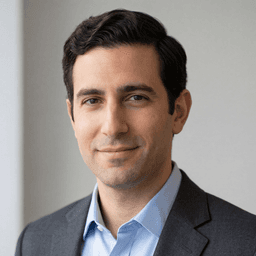
Umut Sagir
Umut is a London-based Deep Learning Fellow and finance professional with deep Python expertise, whose career sits at the intersection of AI, quantitative finance, and real-world business implementation. He has held roles across Deutsche Bank's derivatives desk, Garanti Bank, and a Danish energy trading fund—where he deployed machine learning models for supply and demand forecasting. Since 2017, he has run his own consulting practice and collaborates with PyFi on content and education applying Python and AI to financial problems.

What finance professionals say after running the program.

Learn how I transform and analyze complex data in seconds with Python + OpenAI.
Control your AI with laser-like precision.
Tell the AI exactly what columns to return, what values are allowed, and what to do when it's unsure. The model can't drift off-script, can't invent new categories, can't return formats you didn't ask for. You're now dealing with a structured output that runs on programmatic guardrails. It's repeatable. In over 1,000 tests, we've never seen the AI derail.
This is not a workflow hack. It's permanent infrastructure, like a bridge your data reliably flows over today, and 6 months from now. Because the infrastructure is permanent, your outputs are consistent. Even the same exact prompt, on the other hand, is liable to run a different processing mechanism under the hood.
Finance professionals who can direct AI programmatically are not just faster. They are building capability that gets more valuable as AI becomes standard.




Work that we would usually do with people with master's and PhDs in finance over the course of weeks or months is being done by AI agents over the course of hours or days.
Coding is not for just tech people, it is for anyone who wants to run a competitive company in the 21st century.
Python is how intentional finance professionals integrate AI: with control over what runs, what's sent, and what's returned.
Outstanding introduction to how Python with OpenAI works. Great intro to how OpenAI is called from within a Python program to do what Excel data analysis can't, and automates data cleaning and normalization. AI is a powerful integrated tool to expand the power you can have to analyze financial data.
Generic AI Webinar.
A working Python project.
Python + OpenAI handle data work technically impossible in Excel. See it built live, then run it yourself.
Python handles complex data transformation across multiple sources, at scale, and at lightning speed.
-
Secure Your Seat In The Live DemoJoin live, watch the workflow compress hours into seconds and develop an understanding for how you can achieve low level control over the AI for your work.
-
Make Your First OpenAI CallConnect in minutes, even if you've never written a line of code before.
-
Run The Working ProjectRun the same workflow from the demo and begin experimenting with your own data on your machine.
-
Receive Access To The Demo RecordingKeep the full session on demand. Rewatch the Excel-impossible workflow anytime.
-
Bonus: The Clean-Project FrameworkA simple structure that keeps your code organized instead of a swamp.
-
Keep Everything For LifeRewatch, rerun, and revisit anytime. Updates included.
Finally, I have an answer to ‘Why Python?’ I’ve been hearing about Python as something I might need in years of work with data prep and visualization. PyFi gave me a real chance to see the possibilities in action and ask questions that helped me orient myself and my team toward next steps.





You're reserving a live seat. Join live, watch the full workflow built end to end, and bring your questions.
Go beyond prompting Claude or ChatGPT. In a chat window you paste into a black box and receive variance. It's not predictable or repeatable. With Python, you can establish guardrails to restrict what the AI sees, what rules it's executing, and what an acceptable output will be. This is repeatable, scalable, and defensible. This is for high-stakes finance workflows.
Run the program. If it does not work for you, every dollar back. No questions asked.
The risk is 100% on us.
Run the program. Sit in a live session. If you don't write working Python + OpenAI code in the first 30 days, every dollar back. No forms. No friction. No interrogation.
- No questions asked.One email. We don't quiz you, we don't ask why. We just refund you.
- You keep what you got.The recording, the working program — yours to keep regardless. We're confident enough in the work to mean it.
- Refund issued within 48 hours.Straight back to the card you paid with — no waiting around.
- 99% satisfaction rate.We're confident you're going to like what you experience.
Everything you need to know before enrolling.
Copilot and ChatGPT in a browser are open-ended interfaces. You paste in context, ask a question, and hope the model gives you something useful. That open-endedness is also where hallucinations come from. When AI has no constraints, it's free to invent.
Python + OpenAI is different. Python becomes the control layer. You define exactly what data the model can see, what values it's allowed to return, and how the result must be structured. It validates the output and flags every AI-generated label in an audit column you can filter in Excel.
The model isn't freelancing. It's completing a bounded task inside a process you control. That's the difference between using AI as a chatbot and using AI as a governed workflow inside your finance process.
Yes. This offer is designed for finance professionals who are comfortable in Excel but new to Python.
You are not expected to build the entire program from scratch on day one. You get the walkthrough, the working code, the setup tutorial, and access to the weekly live implementation session so you can understand the workflow one step at a time.
In the demo workflow, only the transaction description is sent to OpenAI for classification. The program sends a short description string and receives back a vendor name and category.
No account numbers. No amounts. No dates. No full financial statements. No personally identifiable information is required for the labeling step shown in the demo.
If your employer has a data policy, treat OpenAI like any other external vendor and follow that policy.
The program sits between your raw data sources and the tools your team already trusts.
Python handles the messy data work first: loading files, standardizing formats, cleaning rows, matching records, labeling transactions, and producing analysis-ready output.
The final result can export as CSV and open directly in Excel, Power BI, or any other downstream tool your team already uses. You are not replacing Excel. You are adding a controlled Python + OpenAI layer before the spreadsheet.
Finance teams are adopting AI, but most professionals are still interacting with it through chat windows and copilots.
The next step is programmatic control: knowing how to use Python to direct AI, structure inputs, validate outputs, and connect the result back into normal finance workflows.
This program gives you a practical way to see that capability in action and start building the skill set behind it.
Live attendance is not required, but it is highly encouraged. The live demo is where you get the most out of your investment: you watch the full Python + OpenAI workflow built end to end and can ask questions in real time.
Either way, you keep everything. You receive a recording of the demo, the working program to experiment with on your own data, and all the bonuses, including the first OpenAI call tutorial, regardless of whether you attend.
Different purpose.
This offer is the fast path. You see a working Python + OpenAI finance workflow, get the full walkthrough, receive the source code, and learn how the system turns messy finance data into clean, decision-ready output.
The Introduction to Python cohort is the deeper path. It builds your Python foundation over multiple live sessions so you can write and reason through code more independently.
Most people should start here first if they want a low-risk way to see what Python can actually do for finance work. When you know you want to go deeper, the cohort becomes the natural next step.
Here is what you get, in order:
Your seat in the live demo. Your seat is secured and registered the moment you enroll, and you will receive a calendar confirmation. The calendar link is on your order confirmation page, along with the rest of your materials.
Your first OpenAI call (bonus). A short tutorial walks you through setting up your key and making your first OpenAI API call in about 15 minutes, even if you have never written code.
The live demo. Watch the full Python + OpenAI finance workflow built step by step, then run the same working program yourself.
The recording and working program. After the session, the demo recording and the complete source code are yours to keep, inspect, modify, and run on your own data.
The Clean-Project Framework (bonus). A simple structure that keeps your code organized instead of a swamp.
Lifetime access, plus a 30-day money-back guarantee. Rewatch, rerun, and revisit anytime. Updates included.
Many buyers enroll using an employer professional-development or training budget.
If you need an invoice, a description of learning outcomes, or any other documentation for a reimbursement request, email support@pyfi.com and we will put it together.
You need a Mac or Windows computer, Zoom, and a browser.
The setup tutorial uses GitHub Codespaces, which gives you a cloud coding environment without needing to install a full Python setup locally.
You will also create an OpenAI developer account and add about $5 of credits to use the API. That is more than enough for experimentation with the demo workflow.
Your enrollment is protected by a 30-day, no-questions-asked money-back guarantee.
Run the program. Review the materials. Attend a live implementation session if you want help. If it is not useful for you, ask for a refund within 30 days.